When you're editing a page in HubSpot, you’ll see the Content tab and Style tab on the left side of the editor.
This is where users can input text, images, checkboxes, and more.
Today, I explored a module field, along with IF statements and UNLESS statements.
🧩 What’s a Boolean Field?
A Boolean type is simple but frequently-used field.
When you add a Boolean field to a custom module, it shows up as a checkbox in the Content tab.
If a user checks it, the value is true; if left unchecked, it’s false.
Let’s see how this works using HubL (HubSpot Markup Language).
👀 Examples: Using if and unless
The basic syntax is: {% if CONDITION %}Content to show{% endif %}
⚠️ Don’t forget to close your block with {% endif %}.
{% if module.checkbox == 'true' %}
1) Show when checkbox is marked ✅
{% endif %}
→ When the checkbox is marked in the editor, the content inside is displayed.
Note: In HubL, 'true' and 'false' are treated as strings, so make sure to use quotes.
{% if module.checkbox == 'false' %}
2) Show only when checkbox is NOT marked ❌
{% endif %}
→ When the checkbox is marked, this block won’t display. When it’s unchecked, it will.
{% if module.checkbox %}
3) Also works: displays when checkbox is marked ✅
{% endif %}
→ This shorthand also works. If the checkbox is marked, it evaluates as true.
{% if module.checkbox == 't' %}
4) Technically works if checkbox is marked ✅
{% endif %}
→ This format works, but it’s always best to to stick with correct codes in any tools.
{% unless module.checkbox %}
5) Show only when checkbox is NOT marked ❌
{% endunless %}
→ When you want to exclude something unless a condition is met, unless is a clean way to write it.
📌 Notes
When the checkbox is checked, the value is 'true'; when unchecked, it’s 'false'.
By default, it’s true, so unless you explicitly set it to false, it will act as if it’s checked.
When a checkbox is marked: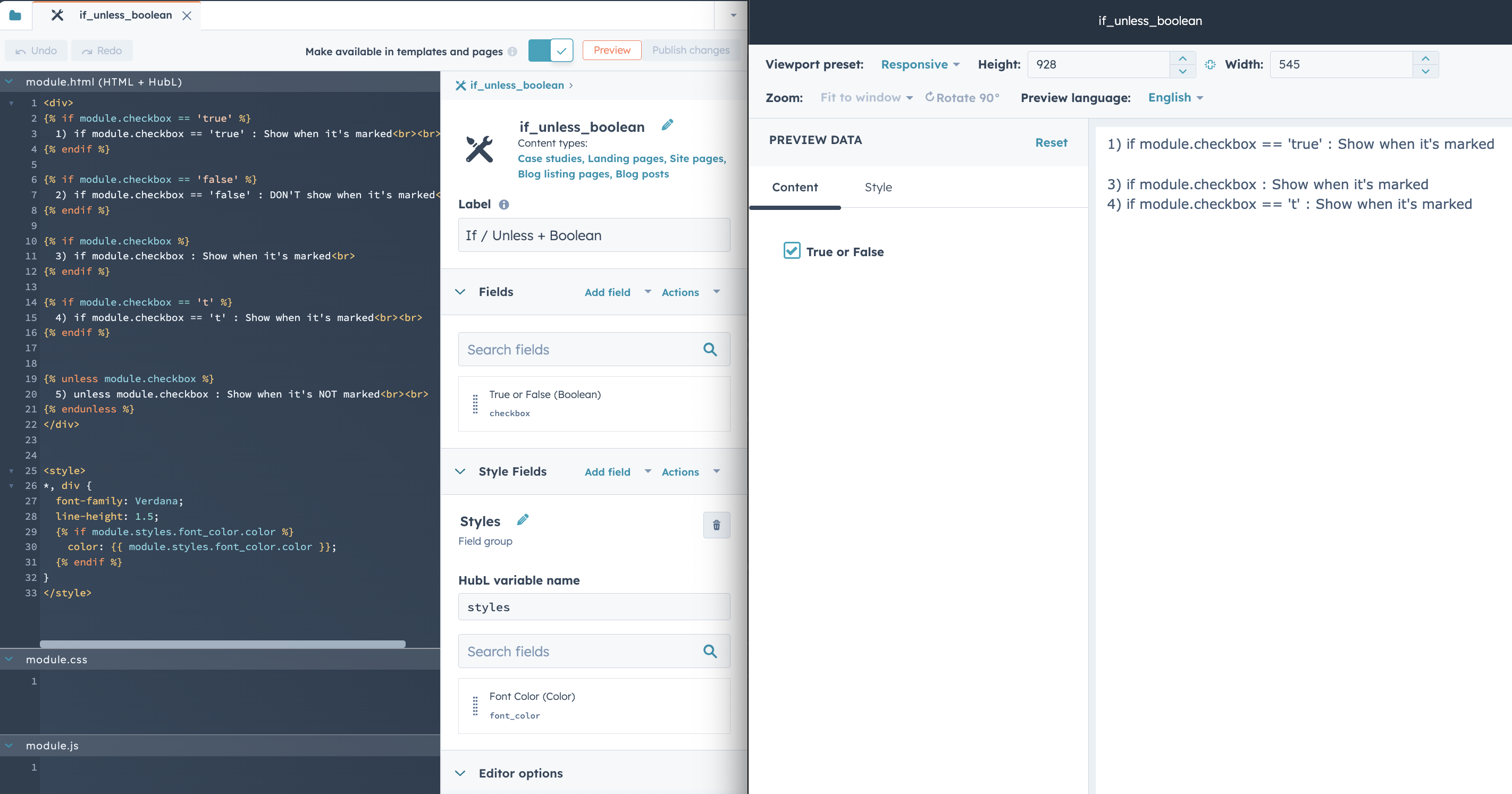
When a checkbox is unmarked: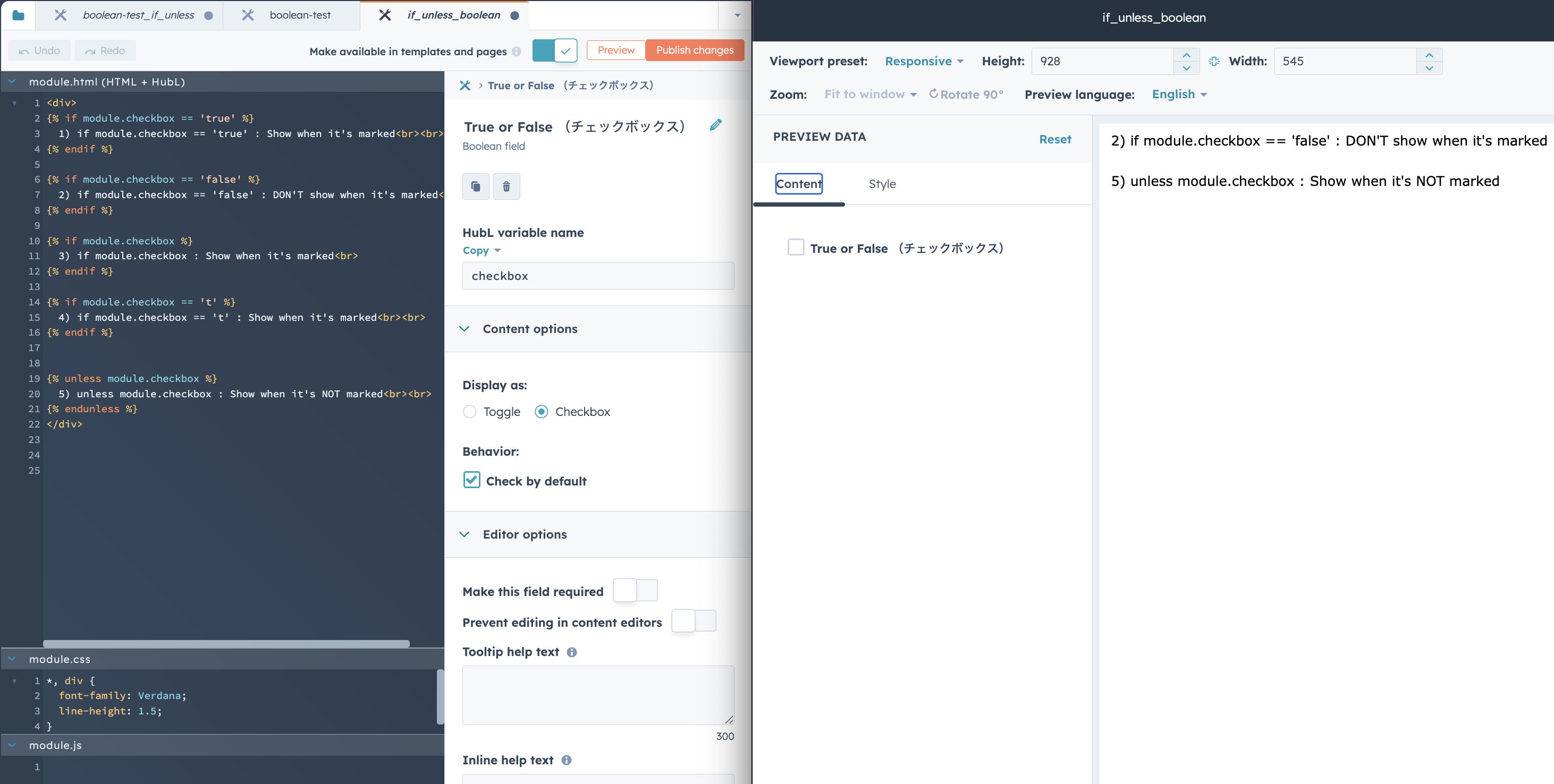
📣 Next up
In the next post, I’ll cover the Style tab, which allows users to customize things like spacing, colors, and borders ✨